I use iPhoto on a daily basis, but there’s been a continually annoying bug that has prevented me from doing some important things. Specifically, when you burn a photo album to CD or DVD, the keywords used for tagging get scrambled.
For example, if I have a picture of Michelle at a zoo here in Arizona, it might have the keywords “Family”, “Arizona”, “Zoo”, “Animal”. I use these to post the photos to my flickr account, and as a way to sift through the photos in iPhoto quickly.
Once the albums are burned to CD or DVD, the keywords get mixed with other keywords not associated with my pictures, for example thee above photo might become “Costco”, “Pizza”, “Taiwan”, “Urinal”. (Yes, I do have a tag for Urinals as I occasionally contribute photos to the website urinal.net.)
The practical inconvenience of this bug is that I have not been able to merge the photos that I took in Taiwan (Sept ’05- Nov ’05) and afterwards from my iBook onto my Powermac where all my older photos are located. This is getting to be a problem because my iBook has limited space and my new Canon 350D takes really big pictures.
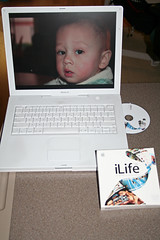
With the release of iLife ’06 (and contained within a new version of iPhoto) I hoped that the problem was fixed, so I went against my instincts honed from years of programming experience and bought iLife ’06 before they released the first set of bug fixes.
As it turns out, it appears that the iPhoto bug is fixed, but I need more testing before I’m positive that a merge will work correctly, but the first hurdle is out of the way. (In a way, I’ll miss the fact that I’ve got all those photos readily available to show off on my laptop, but I need that space back – perhaps I’ll shrink the photos on the iBook to a smaller resolution just so I can keep them handy.)
Over the next few days, I’ll review the individual programs in iLife ’06 from my perspective, but I want to turn to iWeb first.
Much of the “theme” of the iLife ’06 enhancements over iLife ’05 have to do with blogging, pod-casting, etc. To that end, they’ve added iWeb, a web-page management program, which integrates with the other programs and the .Mac service to make an easy-to-use tool for posting stuff to the ‘net.
Like iDVD, their slick and easy DVD authoring tool, Apple supplies iWeb with professionally-designed templates, which you’re stuck with. Nowadays that’s not so bad as many, many people are keeping pages that have rigid formats and it is a tedious chore keeping a page with a unified look-and-feel.
In a very short space of time, I put together a simple family web-page. My idea was for a “news” page where both Irene and I could post entries.
Bzzzzzzt! Wrong answer!
There’s apparently no (built-in) way for two people to maintain the same page from two different computers. A search of the net shows this isn’t just my imagination, although I did find this nifty tip on macosxhints.com.
The tip shows how to take the file containing all the site information from one computer and moving it to a USB key and tricking the OS into redirecting the file to the key. Clever, but way too much hassle.
So I thought, why not try to redirect the file to my iDisk (shared disk space provided by the .Mac service, more on that later) and trick the system that way? Here’s why not: The web site it created is 9.1mb, but the file that stores the info on my computer is 23mb. As I’ve only got a trial .Mac membership, I’ve only 11mb left available.
Multiple computers updating an iWeb site is a critical enhancement that needs to be addressed immediately.
The other “problem” with iWeb (and indeed many of the publishing enhancements to the other iLife ’06 products) is the tight integration (to the near exclusion of anything else) with the .Mac service.
The .Mac service has been around for sometime. Once upon a time, before I ever bought a Mac, it was free. It provides you with some typical services, such as e-Mail accounts and online disk storage and some unique Mac-only services, such as the iDisk, which appears as a drive on your Mac, but actually resides at .Mac, giving you easy access to your files when away from your computer or on your laptop and the synchronization services, which are really nice if you have multiple computers. The synchronization services allow you to keep all your bookmarks, address book entries, calendar entries, passwords, e-mail accounts and settings the same on all your Macs.
This is great if you’re out in the field and you add someone to your address book or you mark a new bookmark and when you get home it’s all updated onto your home computer. It’s a cool idea and it works well, but I’d never pay $99 a year just for that.
Now, along comes iLife ’06. Want to do easy pod-casting? Garageband can do it – right to your .Mac account. Video-casting? iMovie and .Mac. Web-pages? iWeb and .Mac. Photo-casting? iPhoto and .Mac. See the pattern?
I’ll get into photo-casting when I review the new iPhoto, but in a nutshell, Photo-casting allows the publishing of photos directly into the iPhoto of others. Something really cool if you’ve got grandparents living on the other side of the planet who happen to have a Mac. In any case, this new feature is compelling enough that I’m trying the 60 day trial membership to .Mac
Despite earlier rumors, iWeb doesn’t require that you use .Mac. You can generate web pages, export them to your disk drive and then post that to another web server, but several features (such as nifty slideshows) are disabled. (If you want to see a slideshow, look here and select the “Start Slideshow” button near the top.
iWeb certainly could bring a whole new wave of the unwashed masses to the World Wide Web but in my book, the jury is still out. (Who am I kidding, the unwashed masses can’t afford Macs, but now that Intel-based Macs are out, I do know some people at Intel who’ll need to buy Macs soon.)
Technorati Tags: Apple, Blog, Commentary, Computer, Mac, OSX, Review, Software