Tag: Apple

  • Book Recommendation – iPhone Development

    Since I started programming computers a scant 31 years ago, I’ve had to learn many different programming languages – from ancients like COBOL, FORTRAN and RPG to more modern languages like Java. It’s all part of the game, but undeniably the programming paradigm has shifted beyond all recognition since I wrote that first TRS-80 Basic program all those years ago. They are increasingly more complex.

    What I’ve found is that, with each language, there’s usually a key concept or concepts that “flips the light switch” to understanding. My latest endeavor, iPhone programming, involves learning both XCode development methods and Objective C. Objective C being an extension of C and a cousin of C++ – neither language is one that I’ve had much call to use. So, I’m really starting from scratch on this one.

    Now, this “flip the switch” concept is probably different from one person to another, and, of course, it reflects certain cognitive biases towards certain forms of language and means of explanation – in short, your mileage may vary.

    I was struggling trying to use Apple’s documentation, and even some of the other books on the market were not doing whatever it was that I needed. My latest acquisition, though, Dave Mark and Jeff LaMarche’s “Beginning iPhone Development – Exploring the iPhone SDK” has finally done what I needed to do, and the light has finally dawned.

    Therefore I’d recommend this book to others looking to get their start with iPhone development. They do a nice job of explaining the (frankly bizarre) drag and drop use of Interface Builder to link the nib files to the Objective C code, which was one concept that was really giving me grief. (It all seems almost logical, now.)

    Pity my plans for an iPhone Duckworth-Lewis calculator were scuttled to trade secrets. It’d be a handy tool for non-professional teams for use back in the pavilion.

  • iPhone OS 3.0 – The Press Missed the Boat

    I just watched the Apple presentation on the iPhone OS 3.0 and I was amazed at how lame the reaction of the crowd was.

    While they oohed and aahed over cut-and-paste, the practically slept through the most significant change to the iPhone and maybe even computing as we know it.

    With iPhone OS 3.0, you can attach an iPhone to a third-party device via cable (and other means) and read and control data from it! You know have an actual field computer that can acquire data. Yes, the examples given were a pair of speakers that you can control the equalizer with, a blood pressure measure that tracks you blood pressure and a blood sugar meter for diabetics, and those were rather yawn-inducing.

    But the fact that you can extract data and control a device opens up a whole new universe for the iPhone.

    I’m sure there’ll be limitations, like Apple-approved cables only, but there are so many potential implications where someone could simply “dock” their iPhone with a device for a few moments, collect all the data it has, perhaps update it, do calculations – you know, all the things you can do with a computer.

    The first thought that comes to mind are reading the data ports on automobiles. Yes, you can buy a device that does that already, and you have to buy the right one for you car, and it reads diagnostic codes, extracts MPG performance, emissions and other information.

    Of course, there are data cables to attach that to a laptop, too. But isn’t that technology oh-so-much more accessible on your cell phone?

    It’s a game changer. It’s absolutely the biggest new feature in iPhones OS 3.0

  • iMovie ’09 – Review

    It’ time to review iMovie ’09, the only other piece (apart from iPhoto) that has much interest for me in iLife.

    In the interest of full disclosure, I made the move to the Macintosh just so that I could use Final Cut Pro. I learned to edit video on an ancient linear U-matic editor. I learned to edit non-linearly on Adobe Premiere and then stepped up to Final Cut Pro. ([1] Final Cut Pro is a huge improvement over Premiere [2] Windows sucks (or at least sucked at the time) as the basis for an editor.)

    I’m no pro. not by a long shot, but I have developed the mindset that goes along with the traditional style of video editing.

    iMovie ’09 is not at all like that… or, I should say it’s a different paradigm.

    iMovie ’09 is the “fixing” of iMovie ’08, the complete new version that introduced the current scrubbing workflow but completely eliminated all the good stuff. For me iMovie ’08 was unusable. ’09 has fixed most of the problems and, once I got my head wrapped around it, works fairly well.

    Today, I took some crap footage from my 2005 trip to Taiwan and began to edit it entirely in iMovie ’09. I started by capturing all three Mini-DV tapes from the trip. iMovie had no problem with the import, and it has a very nice feature in that not only does it read the time code and split the videos out into individual clips, but it also organizes them into daily events alΓ  iPhoto. This makes locating and organizing video clips from a large capture much easier.

    iMovie shines at rough cut edits, which some editors love, but I typically don’t use. I prefer to make each edit as close to the final edit as possible and this caused me some initial grief in iMovie. What it does best is to allow you to select and grab rough sections of your raw footage and toss it onto the timeline.

    That’s great when you’re working at making a sequential piece from disparate clips, like this perhaps: First I toss in a shot of the park, then I grab a picture of my daughter running, then a long shot of a slide, then my daughter climbing a slide, then her sliding down. Makes perfect sense but you’d be surprised at how often you have those clips, but they aren’t in that order, so you’re looking at visual representations of the clips and you scrub a small section as you see them and put them one after the other in the timeline – then you watch and it is painful. The long shot is too long, she takes too long climbing the slide, there’s too much running and she’s facing the opposite direction when she’d climbing the slide.

    Here’s where the precision editor kicks in. In the older version, all the editing had to be done with imprecise broad mouse strokes, with the new version, editing can be done with more precise, fine mouse strokes. Zero in on the transition between two clips and move the edit to the precise frame you want, click and the change is made. That’s a huge improvement over ’08, but they go further.

    Now you have overlays, which can simulate an A-B roll (Final Cut Pro doesn’t use A-B rolls, either, so I’ve gotten used to the overlay system, but it still foxes some people I know.), green screen, Picture in Picture, narration (with automatic ducking) and separate audio control.

    Plugin support for special effects and transitions is missing, so you’re stuck with the provided ones, and there’s still no keyframing mechanism. Keyframing is probably most often used in home movies to rubberband the audio track, although the concept can be applied to application of special effects and other post-production effects. I really miss that, but at least the narration (and other) tracks can be designated to cause other tracks to hide behind them.

    Clearly the engineers at Apple figured out that people shoot lots of “event” footage – trips, birthday parties, weddings, etc. and this package is really geared towards trying to polish the typical turds that people with camcorders usually record.

    They also figured out that, if you look at YouTube, and subtract all the completely pirated and illegal postings of music videos, there’s a massive number of homemade music videos (usually set to pirated and illegally obtained music.) iMovie’s new edit to the beat feature is phenomenally simple. Simply lay down an audio track, play it back, tapping out the beat with your finger, then start dropping video footage into your project. It’s automatically cut on the beat. Even random footage laid down to the beat of music looks great.

    A lot has been said about the new automatic image stabilization feature, which analyzes more of that turd footage and makes it look steady. I’m not so enamored of this feature. In a camcorder, digital image stabilization (as opposed to the good stuff: optical stabilization) has been around for years. It’s a cheat. What it does is capture a larger area (or shrinks your available image area) and then essentially moves the image around based on an algorithm that tries to identify objects that ought to be “fixed”.

    iMovie is doing the same thing, only it has no choice except to shrink your original footage to give itself room to work with. In other words, it’s applying digital zoom to your recorded images. I’ve said it before, I’ll say it again – turn off digital zoom on your camcorders. It makes the pictures look like crap (not just turds). Depending on how unstable your footage is, iMovie has to zoom in enough to compensate. Jerky footage rapidly looses image quality. That said, it does work nicely for slightly unstable footage, although it does make the occasional digital foobar with the image for no apparent reason. Best suggestion, buy a tripod or learn some tricks to stabilize your camera when shooting.

    The other digital effects work well. The filters, the speed controls, the titles and transitions all worked smoothly.

    It’s not without bugs, though. One bug in particular is nasty. Sometimes when making edits to clips that are already in the timeline, they don’t seem to take, and then the audio starts acting weird, and you can’t undo the changes. After fighting with this for some time, I discovered that if you close iMovie and restart it, the problem goes away and your change is probably still there – but not always.

    All-in-all, it should be simple and easy to use for most home users, and once the bug fix is out it should be less frustrating.

  • The future of creepy weird

    I’ve been playing around with iPhoto ’09 for the last few days and, on the whole, I’m impressed. Unlike some claims I’ve heard, it does not cause my (1st generation) MacBook’s fans to spin up or even seem to bog down the computer.

    Faces is an interesting technology and it makes a pretty good shot at figuring people out, although, it seems to have trouble telling my wife and my mother-in-law apart, and in one case, it thought I had a second face on my knee. (We aliens do, but they’re invisible to the camera.)

    My photo library is huge. Oh, maybe not huge by a professional photographer’s standpoint, but huge from the standpoint of available disk space on my MacBook. I’ve had to break my albums apart in single years’ albums, and my 2007 album is over 42gb. 2008 is smaller, but still over 30. Earlier years, taken with smaller-resolution cameras or scans weigh in around 10gb each.

    I had to convert each and every one of them into iPhoto ’09 format, and the face scanning process (which looks at each photo and identifies potential faces) took several hours on some of the albums. If Faces misses a face, you can add it manually, which is great for the occasional miss. It sucks though when Faces seems to fail miserably, as it did with my 2004 album. Only one in 10 photos is tagged for Faces – and there’s no way built-in way to re-initiate the scan to try again. You can; however, go into the photo package and delete the faces.db files. That causes it to rescan – with equally bad results. Before I invest a lot of time tagging faces, I’m going to wait for a bug fix to come out.

    More interesting (and useful) to me is Places. iPhoto has got this right – at least that’s my impression so far. I do geotag some of my photos. I use a nifty piece of software called HouDahGeo to map the track log of my GPS to the date/time stamp of my photos. It sets and saves the GPS coordinates right into the EXIF data. That’s great when I’m out with my GPS and the GPS is turned on – not so good when I don’t have my GPS with me. My iPhone stores geotagged coordinates, but the GPS functionality in an iPhone 2G is pretty slack.

    What do you do when you don’t have GPS data for a photo, but you want to add it? Well, it’s a tedious process and not worth the effort. iPhoto has gone and fixed that. Pick a photo, or group of photos, hit the info button and start typing in the name of the place. Ofttimes it will find it, but the mix it knows about is eclectic. Why does it know where Heritage Square (a ratty old park in Phoenix) is, but doesn’t seem to know where Los Angeles International Airport is? No problem, you can add frequently used places to your list and then adding them to photos is a snap. Further, the places you add can have a range of precision, for example, if I wanted to tag my house, I could expand the zone to just the house, but if I wanted to make a place for a park, or a city, I could expand the zone accordingly. I’m not entirely sure what effect that has on the coordinates just yet, but the idea sounds good.

    Here’s when it gets creepy weird. For the first time, to my knowledge, someone has made a program that makes geotagging old photos easy. In fact, I’ve geotagged all the photos I’ve got of my childhood. Of course, I don’t live in those houses anymore, and if I upload to flickr… what would the people living there think if they go to “their” house and see it populated with dozens of strange photos?

    This will only accelerate. Soon it will be YouTube videos too. Already I’m seeing lots of meaningless personal videos on Google Earth (if you have the YouTube channel turned on.) The usefulness of geotagging visual information will rapidly decline. For example, what if a company decides to make a commercial for their product – let’s say it is food powder – what’s to stop them from geotagging the video at the location of Eiffel Tower? People going to Google Earth to see videos about the Eiffel Tower will be presented with foot powder ads.

    It will all end in tears.

    But for now, it’s pretty cool in iPhoto.

  • Another MacBook problem

    Here’s one thing I hate: Starting blog posts with the sentence, “I love my MacBook, but…”

    Sadly, this is another of those posts.

    My MacBook is a early serial number, first revision MacBook. It’s only a Core Duo and it doesn’t have 802.11n wireless, but it’s been a good computer – when it’s working.

    It’s had video problems, mainboard problems (which are one and the same) and a defective original battery.

    Now, it’s a defective replacement battery.

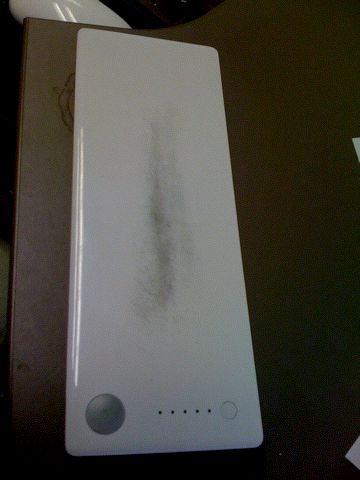
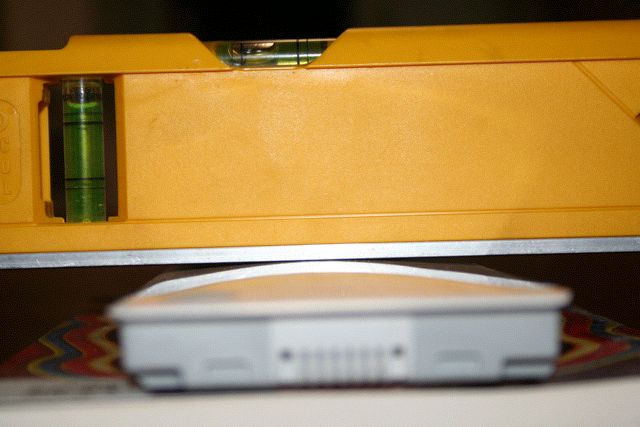
    Recently, I noticed that when I run the battery down, the battery life is good, but the machine doesn’t hibernate when it reaches the end. The day before yesterday I happened to pick the computer up differently than I usually do and I realized there was a big lump in the bottom of the computer. Sure enough, I have an expanding battery.

    What am I thankful for this Thanksgiving? That I have AppleCare. A quick call to Apple yesterday morning and a new battery arrived today.

    Still, I just wish it would stop having these problems. AppleCare runs out in about 180 days and then…

  • Why the iPhone Rules the World – Shazam and SnapTell

    I just picked up two new free applications at the iTunes store today and both of them are fantastic beyond belief!

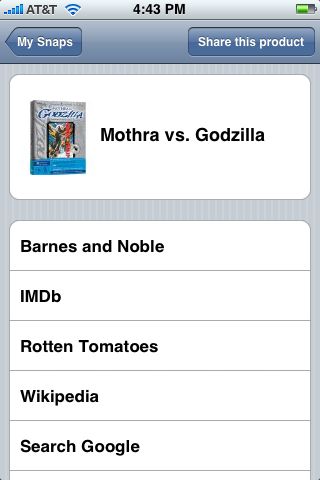
    The first is SnapTell Explorer, a program that will, no doubt, get iPhones banned from bookstores inside of 6 weeks. Just use the iPhone to snap a picture of a book, CD, DVD or video game and the image is transferred to SnapTell, identified and links to Amazon.com, Barnes & Noble, Wikipedia, Google and other sources are sent back to you. Perfect for when you don’t want to pay $39 for a computer book you can buy for $26 at amazon.com.

    I tested this program on about 25 technical books, 5 to 10 old paperbacks, several DVDs and at least 2 video games (WII) and had about a 95% success rate. (And I have some pretty obscure stuff.) This is the application I’ve been dreaming about since the first cameraphone was invented.

    Second, not quite as useful to me, but even cooler, is Shazam.

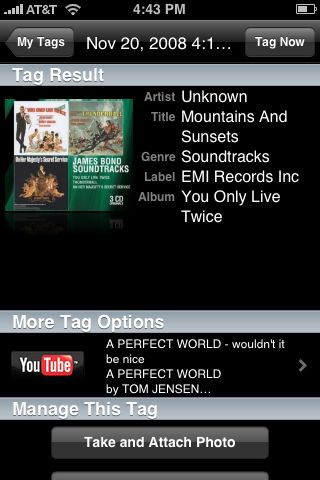
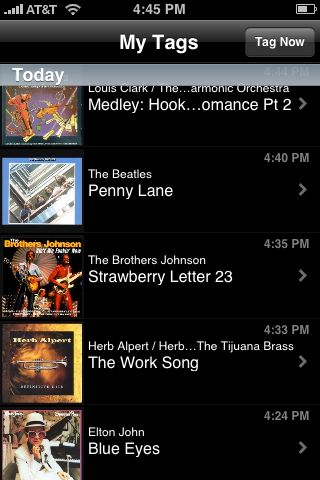
    Like SnapTell this is a program to identify and purchase things. Instead of the camera it uses the microphone to record 12 seconds of audio and then identifies the song for you. I’ve been putting this one to the test since I got home and it’s also had an impressive hit rate. It’s only missed one “popular” music genre song – something a little obscure by Herb Alpert. It’s also done a darned fine job identifying music only tracks from various James Bond soundtracks.

    Here’s a little story I think I forgot to blog: I watch international cricket and, when possible, English county cricket. In English cricket, there is a song they play when a Six Boundary is hit, it’s an instrumental piece, a rather jazzy trumpet or horn segment. I love that song, I also had no clue what it was. Google searches were to no avail. I put two separate friends who had both resided in England during the 80’s trying to help me identify it.

    After a very long afternoon one day, one of them an I spent hours looking at videos, listening to various audio clips, etc until we finally identified this song: Tom Hark, by the Piranhas. In the US, it’s an obscure 80’s song that really never got play here. After identifying it, I was finally able to get the song.

    Shazam identified it in 12 seconds.

    That’s impressive indeed

  • How I feel when Windows is in the House

    Once again, the comedy duo of Gates and Seinfeld are at it again.

    This time, the explain what the commercial is about and the message isn’t good: “Connecting” with people is like an awkward pairing of dysfunctional people trying to live together, which ends with Gates and Seinfeld being kicked out of the house.

    Yep, “dysfunctional”, that’s a word we use a lot to describe Microsoft software!

    Let’s just pick on a couple things: Gates and Seinfeld are terrible guests (complaining about food, etc) and crooks (essentially stealing the Chinese food rather than paying for it. Who’d be dumb enough to try a dine-and-dash with delivery food? Bill and Jerry. Ace criminals.)

    And I love the bit where Bill apparently gives them some fantastic program and reveals that it’s never going to be released. Does that sum up Microsoft, too? No, because I don’t believe they really have any great software in the wings, but it does speak to their business philosophy, doesn’t it? Whatever it is about it is not about quality software.

  • Doctor Who – Under the Radar

    My Apple TV did something very strange today – something that I can’t recall that it has ever done before. I think it crashed.

    One minute it was showing my flickr screensaver and the next moment I noticed it was asking me what language I wanted my Apple TV to operate in. I choose English and it forced a reboot.

    When it was done, I poked around to see if I had somehow missed a software update and looked over the content. Under TV shows, there was a staggering number of channels! Far more than I realized were available on the Apple TV. (TV being such crap as it is, rarely has anything I want to watch, let alone pay for the “privilege”.) But there was BBC America, so I thought, why not look.

    Shock! Primeval! Torchwood (blech), Little Britain and Doctor Who… but not just Doctor Who with a Tennant… I was full-on staring at Tom Baker in Creature From the Pit! Sure enough, iTunes now not only has classic Doctor Who, but they have episodes spanning most of the Doctors and many that have never been released on DVD.

    Real classics like “Time and the Rani”, “Underworld”, “The Sun Makers” and Nightmare of Eden”. Sadly, Horns of Nimon seems to be missing.

    All kidding aside, there’s about 27 stories, including real classics like The Time Monster, Planet of the Spiders, the Mutants and The Krotons.

    Each story is sold by the individual episode of $1.99 each, with each story being packaged as a “season” for the cost of the episodes put together.

    A quick check on the net revealed this story on Wired from last month revealing that they were available. Wonder why I never saw anything about it in either my regularly monitored Doctor Who or Apple news feeds?

  • Mac Mini – Cable Maxi

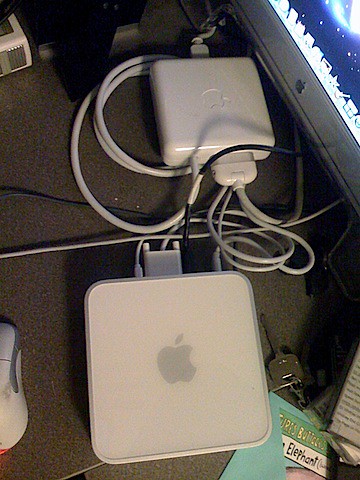
    IMG_0436.JPG I mentioned that I got my new Mac Mini to replace my antique G4, but what I failed to mention was that I still had an older Cinema Display that’s still gorgeous (if not wide screen aspect) but it uses the older, proprietary ADC connection – which not only supplied power to the monitor, but also USB and allowed the monitor to act as the on/off switch for the computer.
    Mac Mini uses a DVI connector, so I had to buy and ADV to DVI connector, seen at the top of this picture here. Note that it is almost as big as the Mac Mini. It weighs more, too.

    Now, if I could just find a way to connect the cool Apple Speakers that came with the G4 but also have a proprietary connector that Apple doesn’t support anymore… πŸ™

  • New Computer

    IMG_4773.JPG

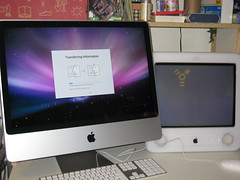
    Now that my wife is heading back to work, I was able to upgrade her aging eMac into something a little zippier and bigger…